Dashboard
Real-time dashboardMetrics, Jobs, History, Load Testing
Monitor your integration engine with live system metrics, running job tracking, execution history, and built-in load testing — all powered by WebSocket updates.
Configure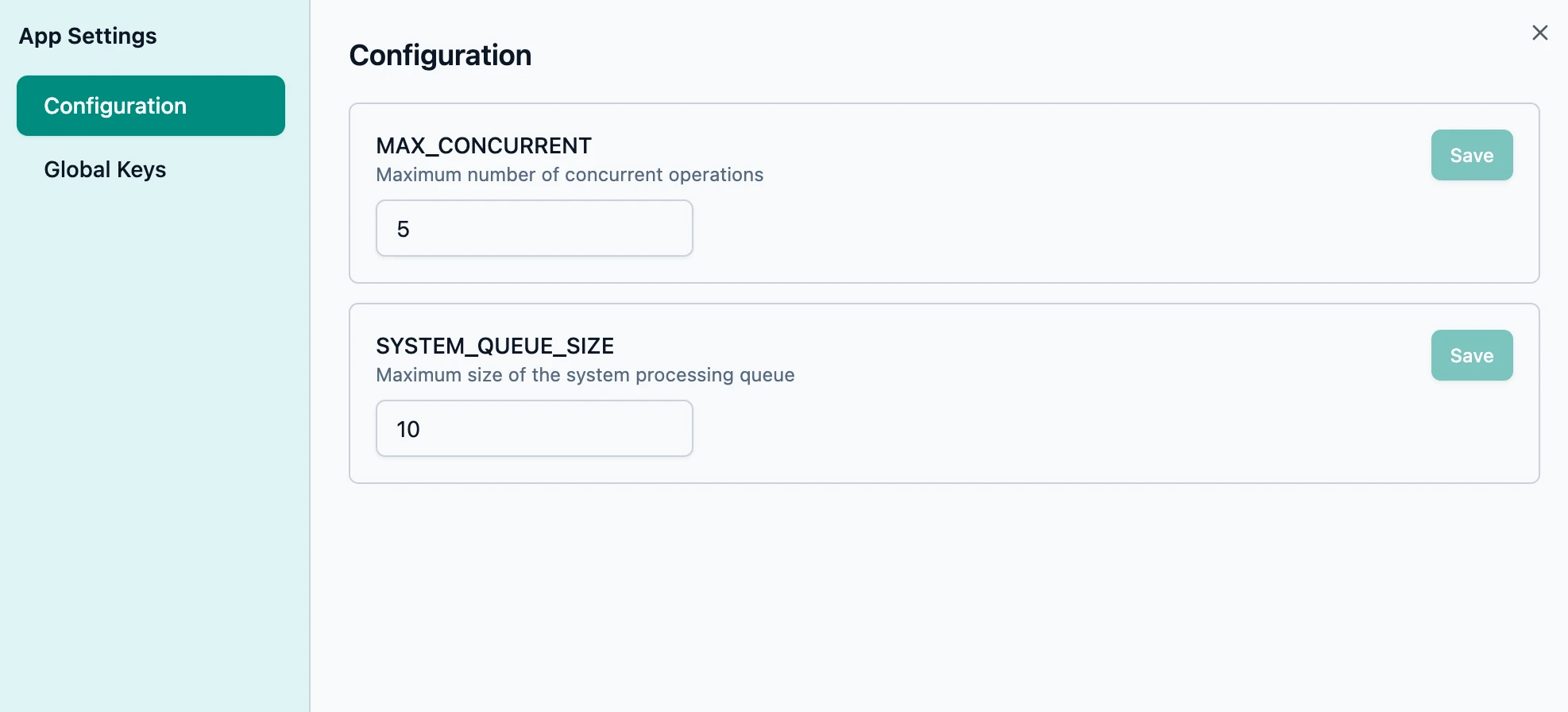
Configure key system parameters
Tune the system parameters to suit your integrations and hardware capacity.
- Specify how many integrations can execute in parallel
- Specify the size of the Redis backed job queue — when full, jobs will be buffered to the database
- Our Terraform backed DevOps module lets you configure a simple, single instance or a cluster
System Metrics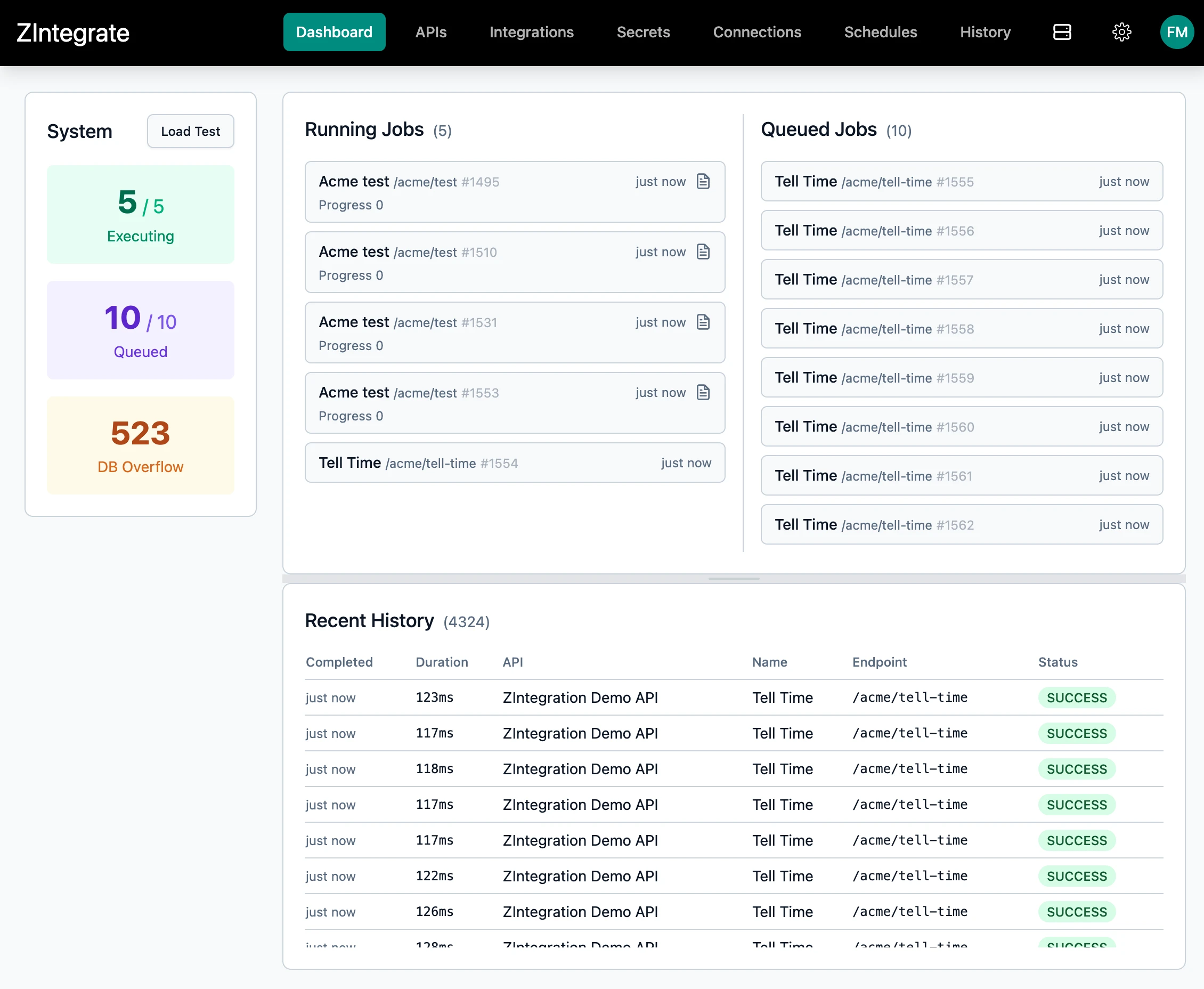
Live System Metrics at a glance
Instant visibility into your system system capacity.
- Current executing jobs vs max concurrent limit
- Queued jobs vs system queue size
- Database overflow count
Load Testing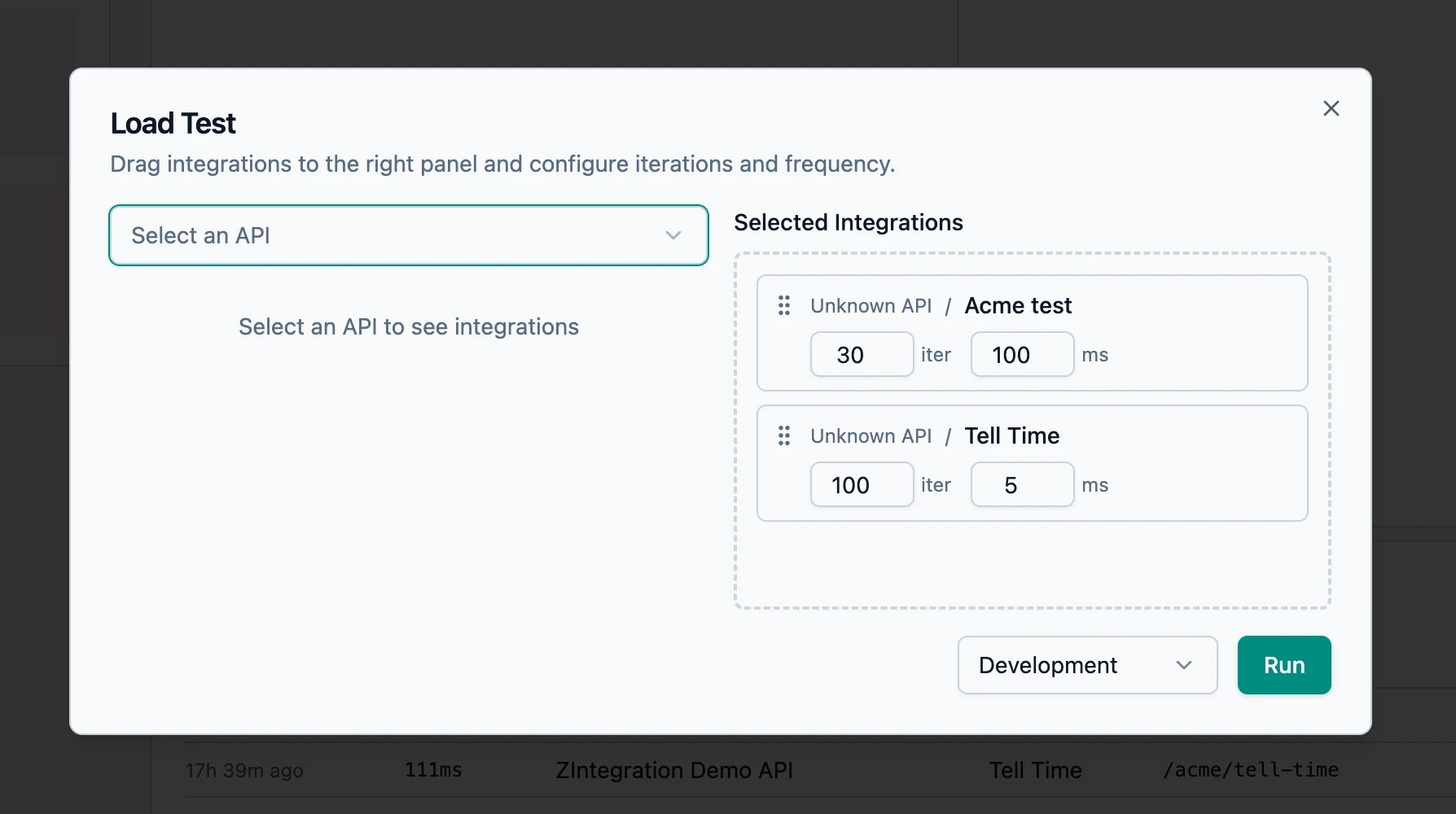
Built-In Load Testing drag-and-drop configuration
A load test modal with drag-and-drop integration selection, per-integration iteration count and frequency configuration, environment selector, and real-time WebSocket progress tracking.
- Configure integrations to include
- Per-integration iteration count and frequency (ms) configuration
- Environment selector: Development, Staging, Production
- Jump to the dashboard when running to see how it's performing, then tune the settings if required
Start building. The infrastructure is done.
1Clone the repository
2Configure your environment
3Start building your product